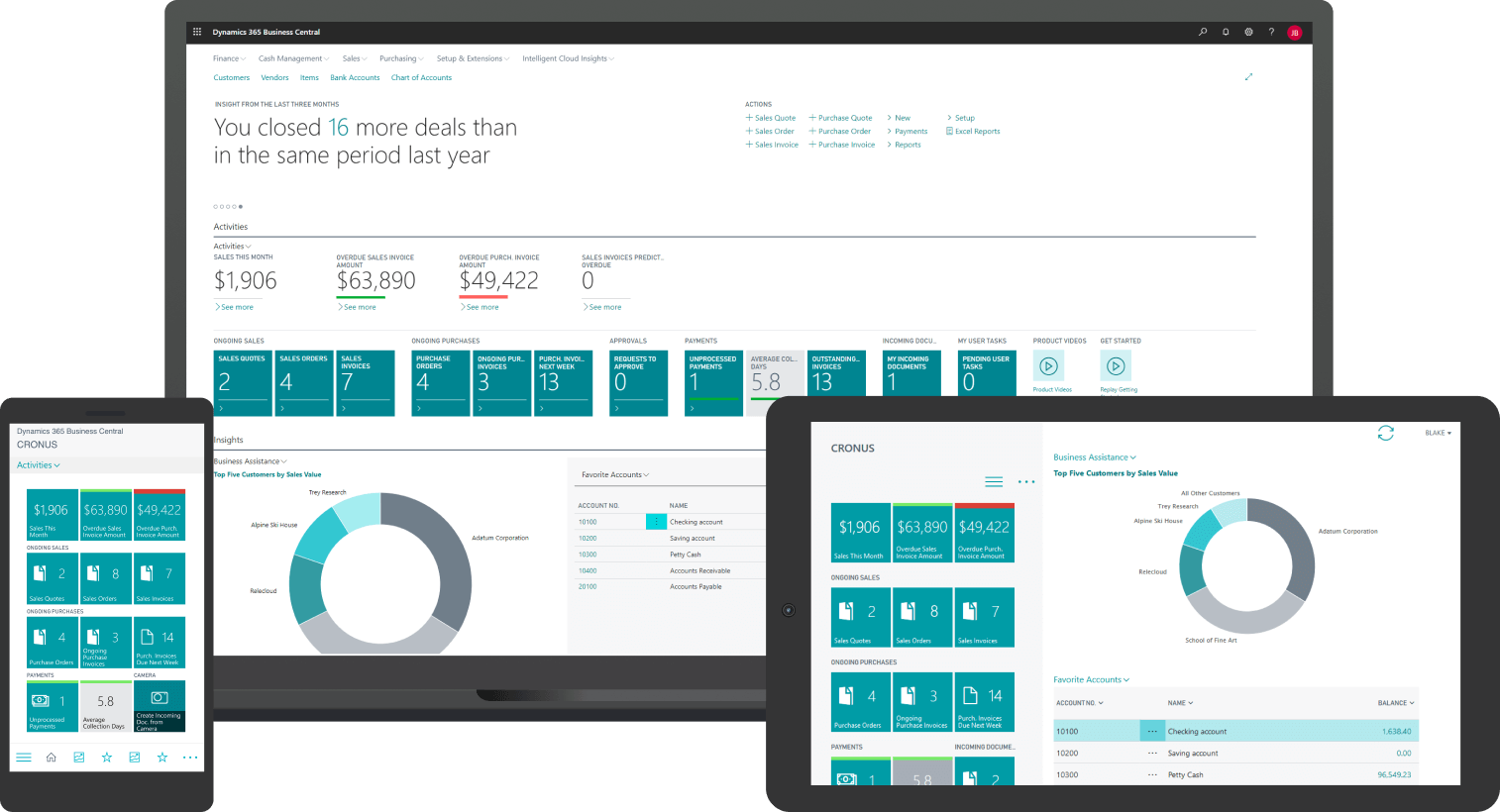
Running a growing business often feels like juggling too many moving parts at once. Financial data sits in one system, inventory in another, and sales tracking somewhere else entirely. Microsoft Dynamics 365 Business Central helps SME business owners, CFOs, and IT stakeholders bring these critical operations together in a single platform. Without an integrated ERP solution, disconnected systems create inefficiencies, delays, and a lack of real-time visibility, making decision-making harder than it should be.
This is where working with a Microsoft Dynamics 365 consultant in the UAE can make a real difference. With the right implementation of Microsoft Dynamics 365 Business Central, businesses can unify their operations, automate repetitive tasks, and gain clearer insights into performance. Instead of managing scattered tools, organizations can operate through a single, integrated ERP system.
In this article, we’ll explore the common challenges businesses face, how Business Central solves them, and what a successful implementation looks like—so you can make informed decisions for your company’s growth.
Why Businesses Need Microsoft Dynamics 365 Business Central
As businesses expand, processes naturally become more complex. What once worked with spreadsheets or basic tools begins to break down.
Some common challenges include:
- Data silos: Finance, sales, and inventory data exist in separate systems
- Manual processes: Teams rely on repetitive data entry, increasing errors
- Limited visibility: Decision-makers lack real-time insights
- Inefficient workflows: Tasks take longer due to lack of automation
For example, a CFO might struggle to generate accurate financial reports because data needs to be manually consolidated from multiple sources. Similarly, operations teams may not have real-time inventory updates, leading to stock issues or delays.
These inefficiencies not only slow down operations but also impact profitability and customer satisfaction.
What is Microsoft Dynamics 365 Business Central?
Microsoft Dynamics 365 Business Central is an all-in-one ERP (Enterprise Resource Planning) solution designed specifically for small and medium-sized businesses.
It connects core business functions into a single platform, including:
- Financial management
- Supply chain and inventory
- Sales and customer management
- Project tracking
- Reporting and analytics
By centralizing operations, Business Central eliminates the need for multiple disconnected systems, allowing teams to work more efficiently and collaboratively.
How Business Central Solves Key Business Challenges
Implementing Business Central isn’t just about adopting new software—it’s about transforming how your business operates.
Here’s how it addresses common problems:
1. Streamlined Financial Management
Instead of manually compiling reports, businesses can:
- Access real-time financial data
- Automate accounting processes
- Generate accurate reports instantly
This helps CFOs and finance teams make faster, data-driven decisions.
2. Improved Inventory and Supply Chain Visibility
Business Central provides:
- Real-time inventory tracking
- Automated stock updates
- Better demand forecasting
This ensures that businesses can avoid overstocking or stock shortages.
3. Automation of Routine Tasks
Manual tasks like data entry and approvals can be automated, leading to:
- Reduced human error
- Faster processing times
- Increased productivity
4. Better Decision-Making with Real-Time Insights
With built-in analytics and reporting tools, decision-makers can:
- Monitor performance instantly
- Identify trends and opportunities
- Respond quickly to market changes
The Role of a Microsoft Dynamics 365 Consultant in UAE
Implementing an ERP system is a complex process that requires careful planning and execution. This is where a Microsoft Dynamics 365 consultant in the UAE plays a crucial role.
A consultant helps ensure that the system is tailored to your business needs and implemented effectively.
Key responsibilities include:
- Understanding your business requirements
- Configuring the system accordingly
- Managing data migration
- Customizing workflows
- Integrating with existing tools
- Providing user training
Without expert guidance, businesses risk implementation delays, data issues, or underutilization of the system.
What a Successful Business Central Implementation Looks Like
A well-executed implementation follows a structured approach to minimize disruption and maximize value.
Step 1: Requirement Analysis
The process begins by understanding your business processes, challenges, and goals. This ensures the solution is aligned with your needs.
Step 2: System Configuration
The ERP system is configured to match your workflows, including finance, sales, and operations.
Step 3: Data Migration
Existing data is carefully transferred into the new system, ensuring accuracy and consistency.
Step 4: Customization and Integration
Business Central can be customized and integrated with other tools such as CRM systems, e-commerce platforms, or third-party applications.
Step 5: User Training
Employees are trained to use the system effectively, ensuring smooth adoption.
Step 6: Go-Live and Support
After deployment, ongoing support ensures the system continues to perform optimally.
Practical Tips for SMEs Considering ERP Implementation
If you’re planning to implement Business Central, here are some practical tips:
Define Clear Objectives
Understand what you want to achieve, such as:
- Better financial visibility
- Process automation
- Improved customer management
Involve Key Stakeholders
Include finance, operations, and IT teams early in the process to ensure alignment.
Focus on Change Management
Adopting a new system requires a shift in how teams work. Proper training and communication are essential.
Choose the Right Implementation Partner
A knowledgeable partner can significantly impact the success of your project by ensuring proper configuration and support.
Industry Use Cases: How Businesses Benefit
Different industries can leverage Business Central in unique ways:
Retail
- Manage inventory across multiple locations
- Track sales performance in real time
Manufacturing
- Optimize production planning
- Improve supply chain efficiency
Professional Services
- Track project costs and profitability
- Manage resources effectively
These examples highlight how a tailored ERP solution can adapt to different business needs.
Why Tailored ERP Solutions Matter
Every business is unique, and a one-size-fits-all approach rarely works.
Tailored solutions allow businesses to:
- Align the system with their workflows
- Scale operations as they grow
- Adapt to industry-specific requirements
This flexibility ensures long-term value and better ROI from the ERP investment.
The Long-Term Impact of Business Central Implementation
When implemented correctly, Business Central can deliver long-term benefits such as:
- Increased operational efficiency
- Improved financial control
- Enhanced collaboration across teams
- Better customer experiences
Over time, these improvements contribute to sustainable business growth and competitiveness.
Conclusion
For growing businesses, managing disconnected systems and manual processes can quickly become a barrier to success. By adopting an integrated ERP solution like Microsoft Dynamics 365 Business Central, organizations can streamline operations, improve visibility, and make smarter decisions.
Working with an experienced Microsoft Dynamics 365 consultant in the UAE ensures a smooth and effective implementation, tailored to your specific needs. With the right approach, businesses can not only solve current challenges but also build a scalable foundation for future growth.
If you’re exploring ways to improve efficiency and gain better control over your operations, learning more about Business Central implementation could be a valuable next step.